Multi-Age Homeschool Printables
One homeschool topic. Different challenges for different learners.
Keep siblings in the same conversation without giving everyone the same worksheet. Use HomeSchool Studio to prepare separate printable activities around a shared topic, choosing the words and task that fit each learner.
See real printable pages before you create
Two original word searches use the same six words: WATER, CLOUD, RAIN, RIVER, OCEAN and VAPOR. The starter uses a 10 by 10 grid with forward horizontal words; the challenge uses a 12 by 12 grid with horizontal, vertical, diagonal and backwards placements. The PDF includes both activities and their two matching keys. These are separately prepared examples, not automatic differentiation or certified grade levels.
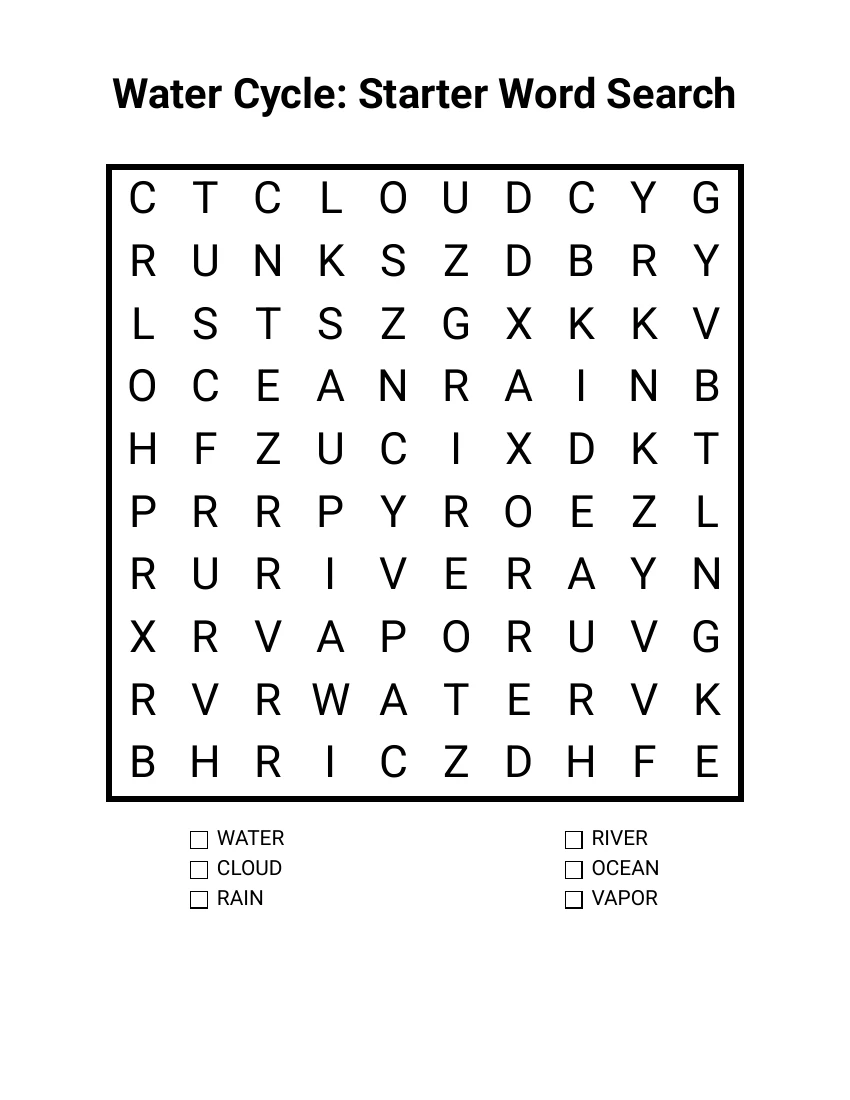
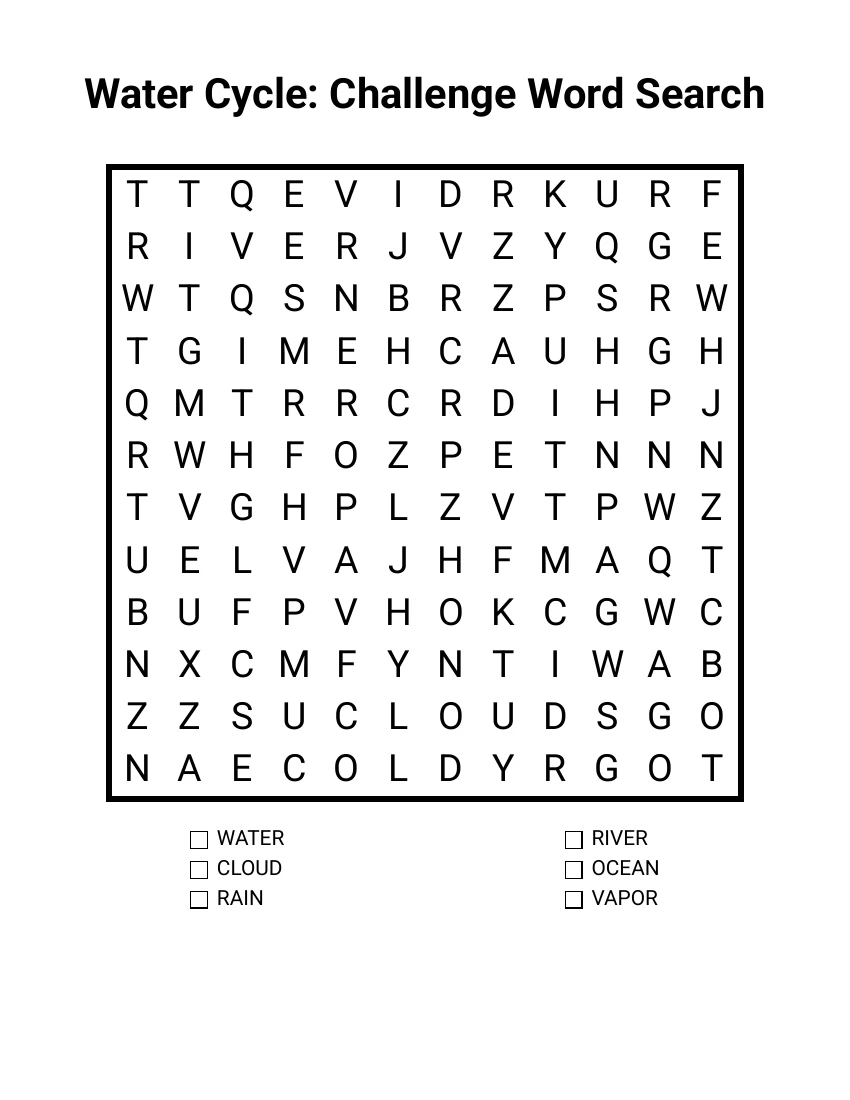
Start together, then prepare variants separately
Choose one unit-study topic and discuss it together. For the water-cycle sample, both learners meet the same six terms. The difference is the search challenge, not an assumed school grade. Start with the version your child can approach comfortably.
In the Workshop, select Word Search and enter your lesson words. Prepare one version, then create the other separately. For a sample-style starter, use a smaller grid and forward horizontal placements. For more challenge, use a larger grid and additional directions. Custom grid-size and direction controls depend on your plan; check which settings are available before planning an exact reproduction.
- Choose a short list of words the learner has already met.
- Keep the topic and vocabulary stable while changing the search challenge.
- Review font size, grid size and directions for each learner.
- Print each activity and check it against its own matching key.
Use the sample to plan the lesson, not assign a grade
Open the sample PDF and compare the two grids. Finding words supports spelling recognition, but a larger grid does not turn a word search into a test of scientific understanding. Adjust the challenge manually rather than assigning a grade from the sample labels.
After the activity, ask each child to explain one term, draw it, or use it in a sentence. Keep the shared discussion while changing the amount of reading or adult support. For another kind of task, you can separately prepare a crossword with reviewed answer-and-clue pairs. You decide whether the material fits your children.
Make the next topic your own
Use your current lesson vocabulary rather than working around a generic packet. Review every generated word or clue before printing, keep solution pages for checking, and save your project for later work.
Start with the free plan to explore the workflow. Available generation and export limits depend on your plan; compare current pricing before preparing a larger set. This is a printable activity maker, not a complete curriculum or a standards-certification service.
More planning guides and resources
- Prepare spelling-pattern practice with a worked six-word list
- Plan science vocabulary practice and meaning checks
- Read the existing multi-grade worksheet planning guide
- Plan word searches around homeschool lessons
Linked BookGenie guides remain published on BookGenie. Compare current plans before preparing a larger project.